For years, Canadian businesses relied on heavy on-premise hardware and physical copper lines to keep their phones ringing. If you wanted to add a new employee or move your office across town, it meant scheduling a technician, waiting for weeks, and paying a premium for a "truck roll." Today, the landscape has shifted entirely.
The rise of high-speed business internet across Canada has made it possible to ditch the clunky hardware in favor of Cloud PBX. Integrating your existing internet connection with a hosted phone system isn't just a trend; it’s a strategic move to lower costs and increase flexibility. However, simply "plugging it in" isn't enough to ensure crystal-clear call quality.
This guide will walk you through the five essential steps to integrate your business internet with Cloud PBX effectively.
Why is internet quality the backbone of Cloud PBX?
In a traditional setup, your voice traffic traveled over dedicated telephone wires. In a cloud pbx canada environment, your voice becomes data packets traveling over the same internet connection you use for email, video streaming, and file uploads.
If your internet connection isn't optimized, those voice packets can get delayed or lost. This results in "choppy" audio, dropped calls, or annoying echoes. To avoid these headaches, you need a plan that treats your voice traffic with the priority it deserves.
Step 1: Audit Your Current Bandwidth and Stability
Before you sign up for a new service, you need to know if your current internet pipe is big enough. Most Canadian business internet providers offer high download speeds, but VoIP (Voice over IP) relies heavily on upload speed.
- Bandwidth Requirements: As a rule of thumb, each concurrent voice call requires about 100 Kbps of dedicated upload and download bandwidth. If you have 20 employees who might all be on the phone at once, you need a minimum of 2 Mbps dedicated solely to voice.
- Latency and Jitter: It’s not just about speed; it’s about timing. Latency (the delay in data travel) should ideally be under 100ms. Jitter (the variation in that delay) should be under 30ms.
- Stress Testing: Run a speed test during your busiest office hours. If your internet is already struggling to load a webpage while someone is on a Zoom call, it’s time for an upgrade.

Step 2: Optimize Your Physical Infrastructure
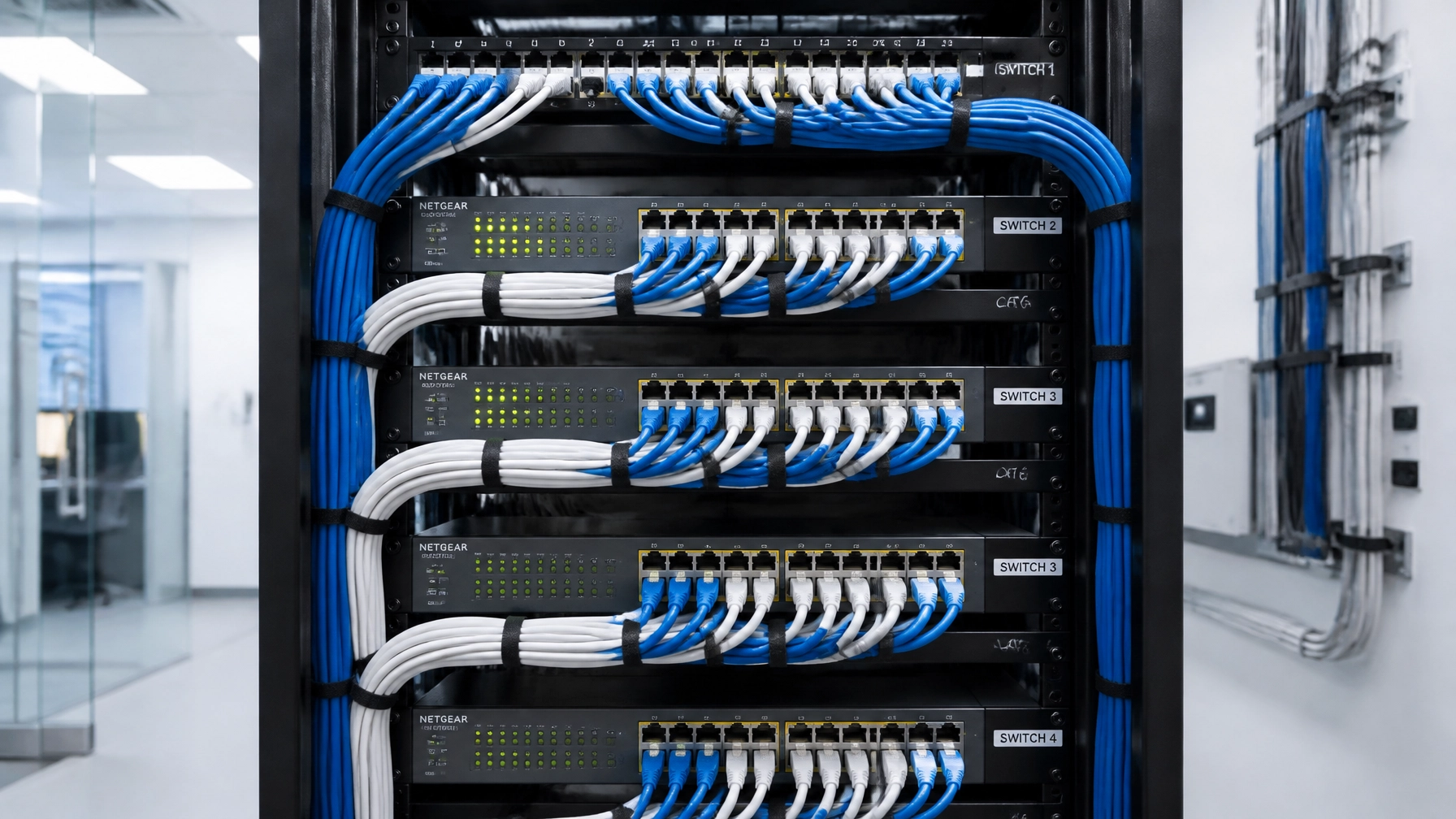
You can have the fastest fiber connection in Canada, but if your office's internal wiring is outdated, your Cloud PBX will underperform. This is where structured cabling services become vital.
Many older offices use Daisy-chained systems or Category 5 (Cat5) cables that aren't designed for modern data loads. For the best experience, ensure your office is wired with Cat6 or better.
- Dedicated Lines: Whenever possible, connect your IP phones via a physical Ethernet cable rather than Wi-Fi. While modern Wi-Fi 6 is capable, a hardwired connection eliminates the risk of wireless interference from nearby electronics or thick office walls.
- Managed Switches: Use Power over Ethernet (PoE) switches. This allows you to power your phones through the network cable itself, reducing clutter and making it easier to manage your hardware from a central location.
Step 3: Configure Quality of Service (QoS) on Your Router
This is perhaps the most technical but most important step. In a standard network, your router treats a Netflix stream and a CEO’s phone call with the same priority. If a large file download starts, it might "squeeze" the voice traffic, causing a dropped call.
Quality of Service (QoS) is a setting on your business router that tells it to always put voice packets at the front of the line.
- Prioritize SIP and RTP: Tell your router to prioritize traffic using SIP (Session Initiation Protocol) and RTP (Real-time Transport Protocol).
- Disable SIP ALG: Ironically, a feature called SIP Application Layer Gateway (SIP ALG) is often enabled by default on many commercial routers. While it sounds helpful, it frequently "corrupts" VoIP packets. Disabling SIP ALG is one of the first troubleshooting steps any expert will recommend for business voip canada setups.

Step 4: Ensure Canadian Regulatory and Data Compliance
When integrating with a Cloud PBX, you aren't just choosing a software; you're choosing where your data lives. For Canadian businesses, especially those in legal, healthcare, or finance, data residency is a major factor.
- Data Residency: Check if your provider has data centers within Canada. This helps with PIPEDA compliance and often results in lower latency because the data doesn't have to travel to the US and back.
- E911 Services: Unlike traditional landlines, Cloud PBX systems aren't tied to a physical copper pair. You must register your "civic address" with your provider so that emergency services know exactly where you are located when someone dials 911.
- Number Porting: You don't have to lose your 416, 604, or 514 area code. Your provider will help you "port" your existing Canadian numbers over to the cloud. This process usually takes 5 to 10 business days.
Step 5: Device Deployment and Team Training
The final step is getting the hardware into the hands of your team. One of the biggest advantages of Cloud PBX is that it isn't limited to the desk.
- Hybrid Setup: Most modern integrations include a mix of physical video phones for executives and "softphones" (apps) for remote workers' laptops and mobiles.
- The "Pilot" Phase: Don't switch everyone at once. Start with one department. This allows you to verify that your business internet handles the load as expected before a full-scale rollout.
- Feature Training: Cloud PBX comes with powerful features like voicemail-to-email, bilingual IVRs (essential for the Canadian market), and CRM integrations. Ensure your team knows how to use these tools to justify the investment.

Conclusion: A Reliable Foundation for Growth
Integrating your Canadian business internet with a Cloud PBX doesn't have to be a headache. By auditing your bandwidth, optimizing your structured cabling, and correctly configuring your network's QoS, you create a foundation that is both reliable and scalable.
The days of being "locked in" to a physical location are over. Whether your team is in a downtown high-rise or working from home in the suburbs, a properly integrated cloud system ensures they stay connected with the same professional quality your customers expect.
Ready to make the switch? At Voiswitch, we specialize in end-to-end solutions: from high-speed business internet to professional networking and award-winning Cloud PBX support. Let us handle the technical heavy lifting so you can focus on growing your business.